ScoliCheck
Publisher Description
Checking for Scoliosis?
Get the Scoliosis assessment app made for health professionals and at home use.
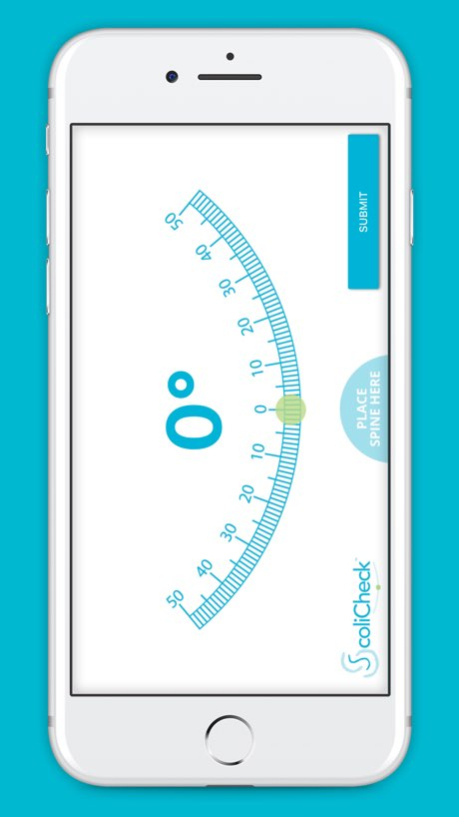
ScoliCheck is a simple scoliosis measurement app. Most scoliosis clinicians will already use a handheld scoliometer to take a baseline measurement of patients suspected of having scoliosis before referring them for x-ray examination. With ScoliCheck you now have access to this tool wherever you are, and for a fraction of the cost of the standard handheld device.
With the patient bending forward and the phone placed over the spine, resting on the assessor's thumbs, ScoliCheck displays a reading of trunk asymmetry in degrees. The higher the measurement, the higher the indication of a potential scoliosis.
The app has an easy to use interface and can be used by health professionals or at home. At the point of the highest reading, press Submit to record the degrees and email it to yourself or someone else for further assessment.
For help or advice with scoliosis cases, email support@scolicare.com.
About ScoliCheck
The company that develops ScoliCheck is Scoliosis Clinics Australia Pty Ltd. The latest version released by its developer is 1.0 .
To install ScoliCheck on your iOS device, just click the green Continue To App button above to start the installation process. The app is listed on our website since 2026-10-13 and was downloaded 3 times. We have already checked if the download link is safe, however for your own protection we recommend that you scan the downloaded app with your antivirus. Your antivirus may detect the ScoliCheck as malware if the download link is broken.
How to install ScoliCheck on your iOS device:
- Click on the Continue To App button on our website. This will redirect you to the App Store.
- Once the ScoliCheck is shown in the iTunes listing of your iOS device, you can start its download and installation. Tap on the GET button to the right of the app to start downloading it.
- If you are not logged-in the iOS appstore app, you'll be prompted for your your Apple ID and/or password.
- After ScoliCheck is downloaded, you'll see an INSTALL button to the right. Tap on it to start the actual installation of the iOS app.
- Once installation is finished you can tap on the OPEN button to start it. Its icon will also be added to your device home screen.
Program Details
System requirements
Download information
Pricing
Version History
version -
posted on 2026-10-13
version 1.0
posted on 2018-04-19
Apr 19, 2018
Version 1.0
This app has been updated by Apple to display the Apple Watch app icon.
